Here's what FRAMECAD® introduced in the latest Nexa release.
Use digital forms for efficient, streamlined QC processes
Users with a Nexa Podium or Nexa Enterprise subscription can create digital versions of their forms and fill them out electronically directly from a Nexa project. This allows your team to digitally record data as a project progresses, reducing errors and integrating QC processes with your project management workflows in Nexa.
Click to learn how to create and fill out QC forms (opens in a new window).
Digitize your existing QC forms
Upload a PDF of a QC form to Nexa, then add interactive fields, checkboxes, or radio buttons where a Nexa user will enter data or record a response.
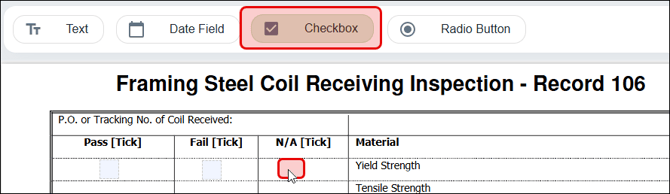
Fill out digitized forms as your project progresses
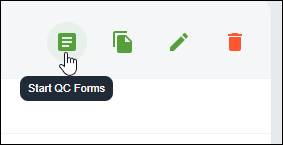
Your team can fill out your digitized forms as they work on a project in the Projects page. You can use digital forms to track QC data related to sticks, panels, or plans, production jobs, or projects as a whole.
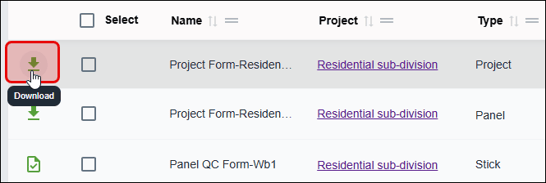
Track and download completed forms
Use Nexa's Reports page to keep view in-progress forms and to download completed forms when you need to share a physical copy.
Track steel usage by machine
The Meterage report in the Reports page now includes a Machines report option. This allows you to track the output of an individual roll-former for a set interval (i.e., hourly, daily, weekly, etc.) and date range.
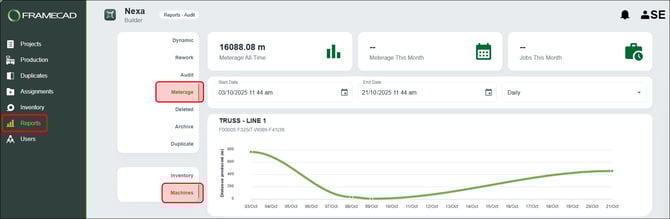
Users with a paid subscription can access the Reports page.
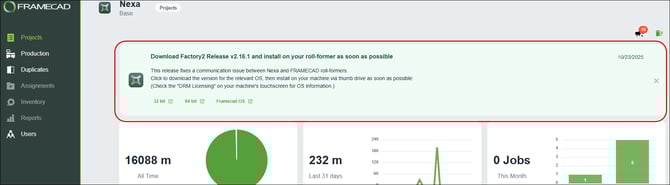
See important product alerts
A broadcast feature now shows users important Nexa information. FRAMECAD will use this feature to let you know about a release, planned maintenance, or other information about using Nexa. Broadcasts will appear above the stats in the Projects page.