
Joist settings (JSET)
| Command name: JOIST_SETTINGS | Space(s): Layouts space; Detail spaces |
| Purpose: Framing settings for new* joist frames. | |
| Usage: | |
| 1. Type JSET and press Enter. A dialog appears. | |
| 2. Enter settings in the Layouts tab and Options tab, as needed. | |
| 3. Click Save. | |
Additional info: |
|
|
• *TIP! Any changes you make in the JSET dialog will not affect existing joists. Type LI and select an existing joist to edit its settings. |
|
JSET Layouts tab
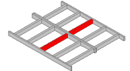
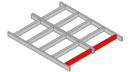
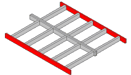
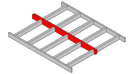
|
Applied Loads |
In kPa (metric) or psf (imperial) except where noted. |
|
Dead Load |
Dead and live loads of a floor that will be applied to a joist. |
|
Live Load |
|
|
Ceiling Load |
Dead load of a ceiling that will be applied to the bottom chord of a truss. |
|
Snow Load |
Snow load of a roof that will be applied to the top chord of a truss. |
|
Design Point Load |
Vertical load applied to a point on a joist in kN (metric) or kip (imperial). |
| Deflection Limit | |
|
Deflection Limit (Live) |
Preset engineering values. |
|
Deflection Limit (Dead + Live) |
|
|
Max Allowable Deflection |
| Ceiling Battens Information | Used for BOM purposes only, not for modelling. |
|
First Ceiling Batten |
Defines the material and profile to use for the first batten in a truss. |
|
Next Ceiling Batten |
Sets the profile section to use for all subsequent battens. |
|
First Batten Length |
The length of the first batten in a truss. |
|
First Batten Lap |
Length of overlap between first batten and an adjoining batten. |
|
Next Batten Length |
The length of all subsequent battens in a truss. |
|
Next Batten Lap |
Length of overlap between two adjoining subsequent battens. |
|
End Screw Type |
Type/number to use when fixing the ends of a batten to a frame. |
|
End Screw Frequency |
|
|
Int Screw Type |
Type/number to use to fix internal battens to supporting members. |
|
Int Screws per Crossing |
| Creation Options | |
|
Auto Cutting List |
Includes a floor member summary in border in Layouts if joists are labelled. |
|
Auto Label Members |
Adds labels to joist members in the layout. |
|
Preserve Floor Outline |
Keeps the floor outline in the layout. |
|
Auto Floor Sheet Layout |
Includes a floor sheeting layout using Sheeting Information settings in Options tab. |
| Report Options | Sets information to include about joists when you type REP. |
| Select True to for each to include joist Members, Connection Brackets, Connection Fixings, Weight, Battens, and/or Batten Fixings. | |
| Labelling Option Information | (Sets labels and info that appear in a border when you type JD) |
| label prefixes |
Sets what prefix to use in labels for joists, for end, side, and interior bearers, and for bearer beams. |
| Restart Zone Labels |
Restarts from 1 for each zone (if zones are set) (instead of numbering continuously across all set zones). |
| Include Joints | Includes labels when identical members join other members differently or when identical members have different service holes. |
| Include Service Holes | |
| Use Continuous Numbers | Counts from 1 and continues for all joist types (instead of restarting at 1 for each joist type). |
| Collect Common Member |
Shows a quantity for members of equal length (instead of listing all members separately) in a Floor Member Summary. |
JSET Options tab
| Sheeting Information | |
| Sheet Type | Sets what flooring will be used on joist frames and its dimensions and weight. |
| Sheet Length | |
| Sheet Width | |
| Sheet Thickness | |
| Sheet Weight | |
| Drafting Colour | Sets a color for displaying floor sheeting. |
| Screw Type | Sets the screw type to use to fix floor sheeting to a joist frame and how many screws to use at end and interior locations. |
| End Screw Quantity | |
| Int Screw Quantity | |
| Glue Type | Sets the type of glue (defined in data file) and quantity (per meter or foot) that will be used on flooring. |
| Glue Quantity |
| Under Floor Information | |
|
Isolated Pier Width |
Sets subfloor settings if needed. NOTE! Sub-floor framing is generally outside the scope of LGS/CFS frame production. |
| Isolated Pier Depth | |
| External Isolated Pier Spacing | |
| Internal Isolated Pier Spacing | |
| Engaged Pier Width | |
| Engaged Pier Depth | |
| Engaged Pier Spacing | |
| Steel Post Type | |
| External Steel Post Spacing | |
| Internal Steel Post Spacing | |
| Post Inground Allowance | |
| Drafting Colour |
| Rough In Options | |
|
Perimeter Options |
Sets rough in options if required. NOTE! Rough in option are generally outside the scope of LGS/CFS frame production. |
| Interior Options | |
| Include Floor Layout |
| Detail Sheet Options | (Sets info to include in detail sheets in joist detail spaces) | ||||||
|
Include Materials |
Adds a bill of materials showing the material, quantity, and length of each member required for the respective joist frame. | ||||||
| Collect Common Lengthts | Lists members in the BOM (and labels members in the elevation view) by common length. | ||||||
| Include Parts | Lists type and quantity of connectors and other parts required for the joist frame. | ||||||
| Include Design Summary | Shows design and load codes, wind speed, and other joist frame design parameters (at bottom of detail sheet). | ||||||
|
Show Major Dimensions |
Includes dimensions for overall size, layout, and geometry. |
||||||
| Show Minor Dimensions |
Includes size, position and spacing of components. |
||||||
| Border Sized to Fit |
Sizes each border independently (instead of making all borders the same size as the largest border required). |
||||||
| Auto Update Dimensions | Sets dimensions to update accordingly for changes you make to a joist frame in a detail sheet. | ||||||
| Dimension Style |
|
||||||
| Show Reactions | Includes reaction values at support points. | ||||||
| Show Percentages | Shows what percentage of the joist frame’s load capacity is being used (instead of just Pass or Fail). Greater than 100% counts as an engineering failure. | ||||||
| Label All Sticks | Shows labels of all joist frame members (instead of just major members). | ||||||
| Show Stick Labels | Includes an ID for every stick in the material summary at the top of the detail sheet. |
| Floor Builder Filters | Sets filters to use by default when you type JJD. |
| Select True to build from Current View Only, or to hide bearers, joists, joist bearers, beam bearers, and/or webbed or non-webbed beams. | |