
Operators will occasionally need to change a worn tool in the toolblock. You may notice evidence of wear during regular production quality checks if a web or flange hole or cut is incomplete or produces ragged edges.
NOTE! Operators using a F450iT may also need to replace a cartridge when a loaded job requires a different tool configuration.
NOTE! Always record a tool change in Factory2 after replacing any cartridge or tool.
Replacing a swappable tool cartridge on a F450iT
The F450iT has swappable tool cartridges that operators can replace when a tool shows signs of wear or when a loaded job requires reconfiguring the toolblock. For instructions on other single-profile machines, see Replacing a toolblock tool on other single-profile machines.
Note – tools and equipment required: 3mm hex key, 8mm hex key, 10mm hex key, 18mm spanner (or adjustable wrench), replacement tool cartridge.
Prep the machine
1. Remove steel from the roll-former (see Removing current steel from roll-former for steps).
2. Turn the Isolation switch OFF.
 DANGER! Risk of shock. Do not proceed until the Isolation switch is in the OFF position.
Remove current cartridge from the toolblock
Open the sliding cover (Infeed end), then:
1. Use the 8mm key to loosen and remove the cylinder bolt for a tool cartridge. The solenoid will deactivate.
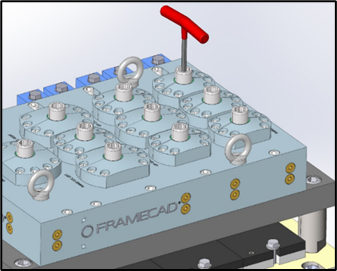
2. Use the 18mm spanner or adjustable wrench to unscrew and remove the cartridge hold-down bolt on the left side of the machine. Repeat for the bolt on the right side of the machine.
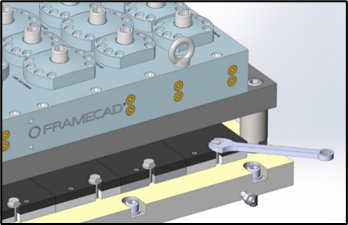
3. Pull out the cartridge.
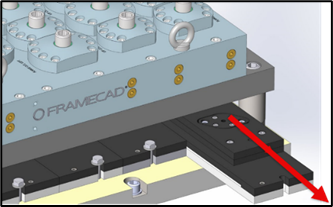
Insert replacement cartridge
Insert the replacement cartridge, then:
1. Partially screw both hold-down bolts in place. The washers should spin freely.
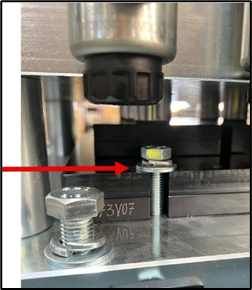
2. Insert the cylinder bolt back in place. Do not tighten the cylinder bolt.
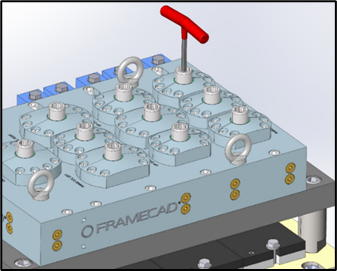
NOTE! Do not fully tighten cylinder bolts until after activating the solenoid.
Activate the solenoid
1. Use the 3mm hex key to press the override at the bottom of the solenoid valve.
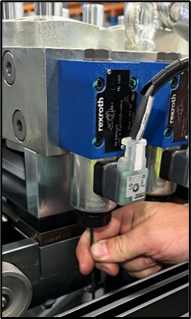
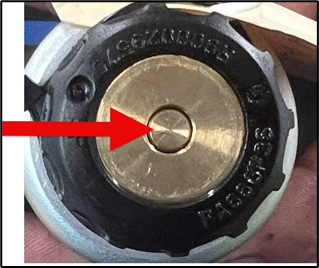
2. Continue pressing the override while using a nylon hammer or rod to force the cylinder down. In the below illustration, an operator uses a rod (inserted into the lifting eye for leverage) to force the cylinder down.
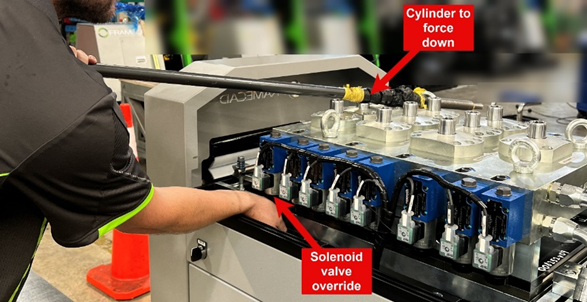
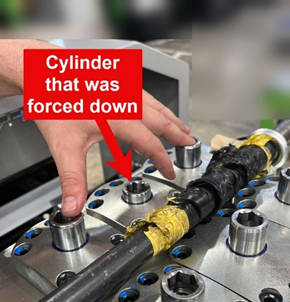
3. Tighten the cylinder bolt until hand-tight. Cylinder bolts have a specified torque of 74.6 N-m (55 ft-lbs). Fully tighten the two hold-down bolts.
Now you can record the tool change in Factory2.
Replacing a toolblock tool on other single-profile machines
Operators using single-profile machines other than the F450iT can change a worn tool in the toolblock by lifting the toolblock and replacing the tool in the cartridge.
Note – tools required: 6mm hex key, 8mm hex key, 10mm hex key, 30mm (1 1/4”) spanner/wrench, certified lifting equipment, clean rag, slide hammer, small Philips head screwdriver
 WARNING! Remove steel from roll-former and turn the Isolation switch Off before proceeding.
Lift the toolblock
1. Use the small Philips head screwdriver to disconnect the solenoid valves. Use the 30mm (1 1/4”) spanner/wrench to disconnect the hydraulic hose connectors. Use the clean rag to catch excess hydraulic oil.
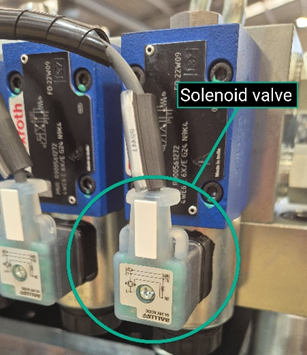
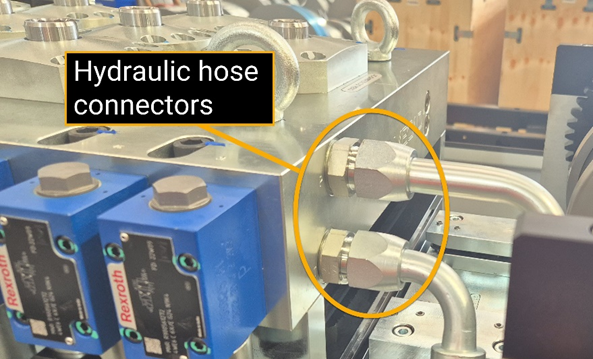
2. Use the 8mm hex key to loosen and remove the cylinder bolts. Use the 10mm hex key to loosen the mounting bolts slightly. Do not remove mounting bolts yet.
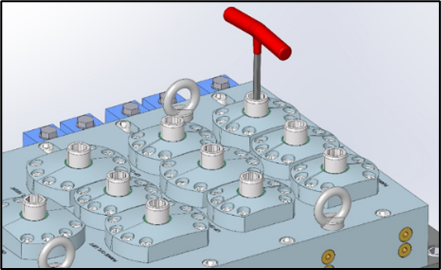
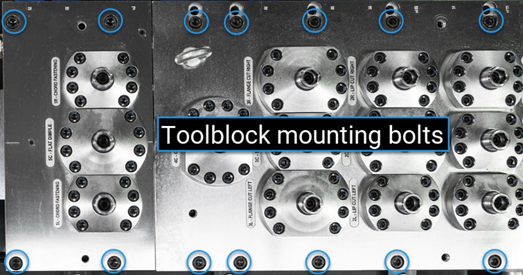
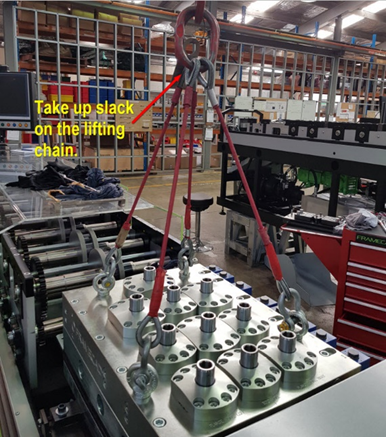
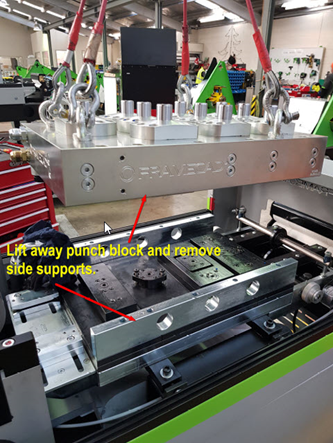
3. Lift the toolblock in two sections. Lift a section slightly. Check that all hoses have been disconnected, then remove the mounting bolts. Finally, lift the toolblock section away completely and remove the side supports.
Remove cartridge and replace tool
1. Use the toolblock mounting bolts to evenly lift the cartridge. Mark the punch tool percussion cap in order to remember in which direction to refit it. Move the tool to a workbench or table.
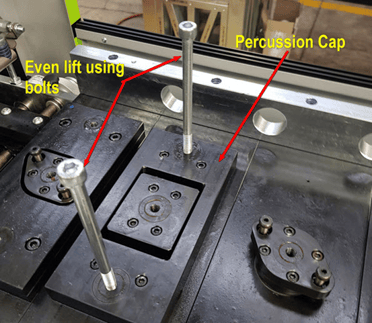
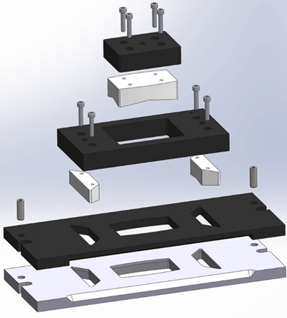
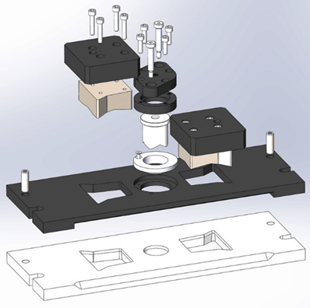
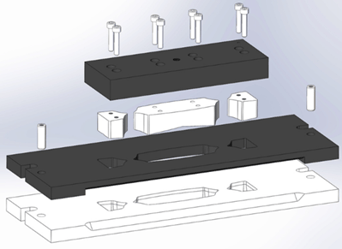
2. Use the 6mm hex key to loosen the cap screws and remove the current tool. (See cartridge exploded views for reference.)
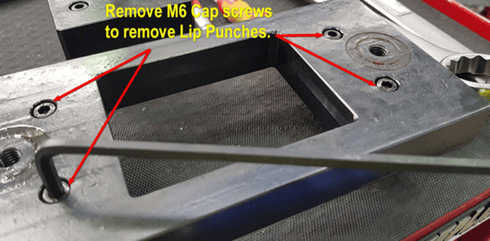
3. Clean the mating surfaces, insert the new tool, and use the punch tool bolts to slot the percussion plate assembly into the die plate. Finally, use the 6mm hex key to tighten the cap screws and secure the tool in place.
Replace the toolblock
1. Return the side supports, then use the lifting equipment to lower the toolblock segments into place (use the toolblock mounting bolts to guide the toolblock into place). Rest the toolblock and remove and unhook the lifting equipment. Do not tighten the mounting bolts yet.
2. Use a lever to push the rams down. (Note: hydraulic oil may spill from supply and return ports). Drop the cylinder bolts into the rams and tighten enough to draw the tool up.
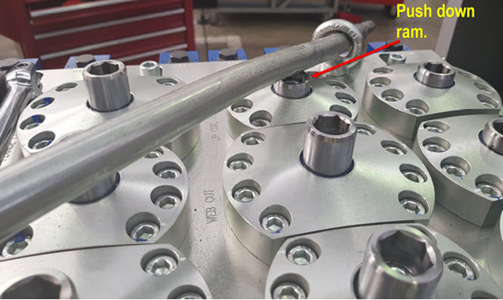
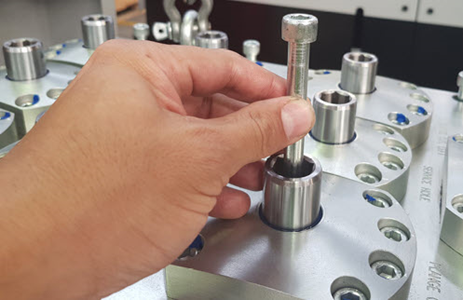
3. Use a torque wrench to tighten the cylinder bolts to 68N·m (≈44.1 lb·ft) and to tighten the mounting bolts to 119N·m (≈87.77 lb·ft).
4. Reattach the hydraulic hoses at the supply and return ports and reattach the solenoid valves.
5. Power up the machine, check for leaks, and manually operate the tools to check functionality.
Now you can record the tool change in Factory2.
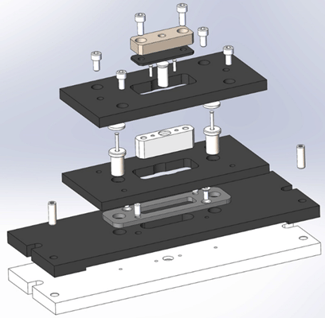
Cartridge exploded views (for reference)
|
Web hole and flange hole cartridges
|
Web notch and lip cut tool cartridges
|
|
Service hole and flange cut cartridges
|
Chamfer cut tool cartridges
|
Recording a tool change
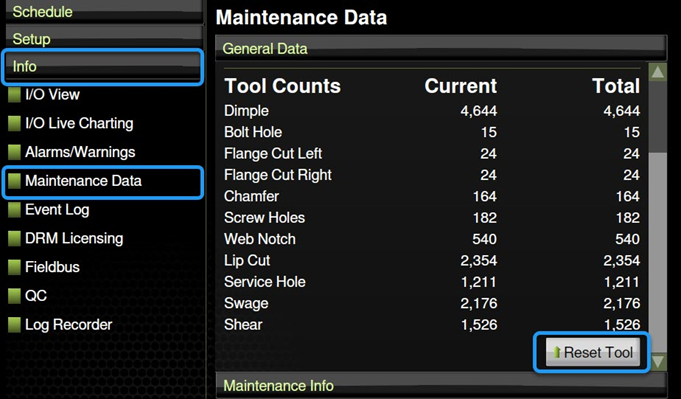
Always reset the tool count in Factory2 after replacing a tool. This allows the machine to accurately track the number of operations between each tool change. In Factory2:
1. Tap Info > Maintenance data. The Maintenance Data window appears. Under General Data, scroll down and tap Reset Tool.
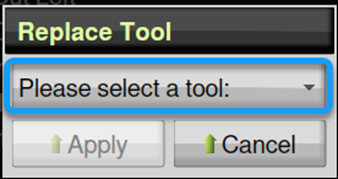
2. The Replace Tool window appears. Tap Please select a tool, select the tool you replaced, then tap Apply.
3. The Current number for the tool will reset to 0. This is the number of operations the tool has performed since the last reset. Repeat 1 and 2 for each tool you replaced.