
Each FRAMECAD® roll-former ships with machine control (formerly Factory2) software installed. The software runs on a particular operating system. You will need to know your operating system when a new version of Factory2 is available.
The Operating System is only visible in v2.1.4 or higher.
Viewing the version and OS information
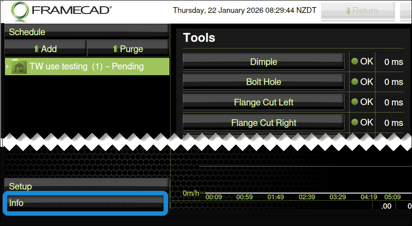
Power up your machine. Go to the Operator touchscreen. Tap Info in the left-hand panel.
Tap DRM Licensing in the left-hand panel. The DRM Licensing window appears. The version number and OS are under Info.
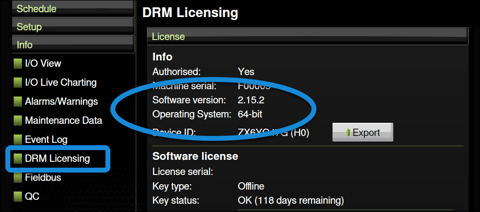
The Operating System will be 32-bit, 64-bit, or FRAMECAD OS.