
The lip overform rollers allow you to adjust the angle of a lip relative to the flange. The angle should be 90°.
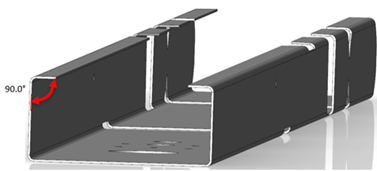
If the angle is less than 90°, you will have to decrease the overform. If it is greater than 90°, you will have to increase the overform.
How to adjust the lip overform (F325iT)
Open the sliding guard (Outfeed end) and locate the lip overform rollers (between the flange overform rollers and the printer heads, then:
1. Use the spanner to loosen each of the two locking nuts for the left or right lip. 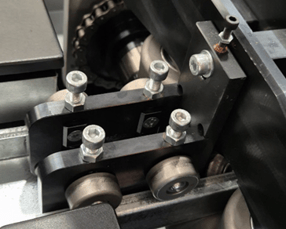
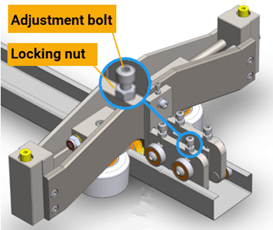
2. Turn the adjustment bolt ½ to ¼ turn clockwise to increase overform (correct for flare) or counterclockwise to decrease overform (correct for over-form).
3. Tighten the locknuts.
How to adjust the lip overform (F325iT-L or F450iT)
Open the sliding guard (Outfeed end) and locate the lip overform rollers (between the flange overform assembly and printer heads). To adjust the overform for a specific lip:
1. Use the 16mm hex key to loosen the locknut.
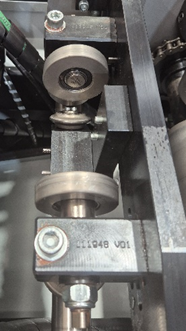
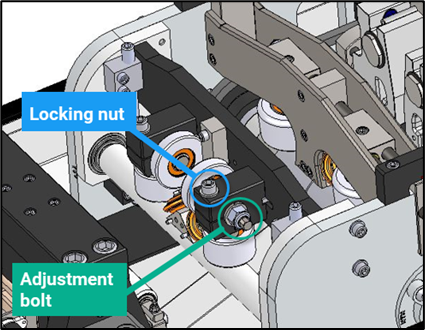
2. Turn the adjustment bolt ¼ to ½ clockwise to increase overform (correct for flare) or ¼ to ½ counter-clockwise to decrease overform (correct for over-form).
3. Tighten the locknut.