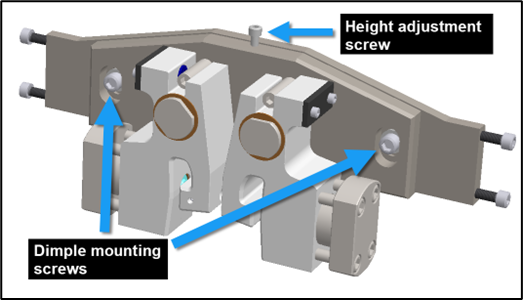
Operators must adjust the dimple height if a measured dimple height in a stick is >.25mm (1/64”) more or less than the height indicated in its profile drawing.
Note – tools required: 6mm hex key, 10mm hex key, vernier calliper
To adjust the dimple height, press an Emergency Stop button, then:
1. Open the sliding guard (Outfeed end) and locate the dimple tool between the pinch rollers and the flange overform rollers.
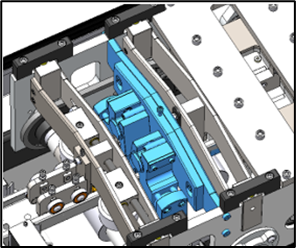
2. Use the 10mm hex key to loosen the dimple mounting screws. Then use the 6mm hex key to turn the height adjustment screw. Turn clockwise to increase the dimple height; turn counterclockwise to decrease the height. Use the calliper to check the height. Continue adjusting, if necessary.